Your one stop Guide for Android TV Boxes
Addons, Programs, and Builds on this website are constantly updated on a regular basis to keep you up to date as well as instructions to install new addons as they develop.
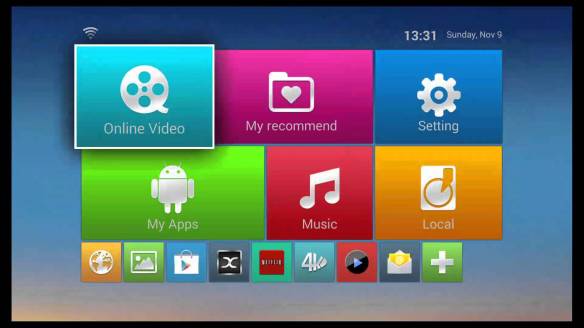
There is a lot to learn about using android TV boxes and it can be overwhelming. This guide is designed to help you get your TV box up and running.
Reviews – What TV box is right for you
Programs & Builds – Some of the most used programs
Addons – Live TV IPTV, Sports, Movies, TV Shows, & more
Tweaks and Tips – Get your TV box running quick and smooth
One of the first things you will want to do is to install KODI if it isn’t already installed on your Android TV Box.
KODI is a free and open source media player application. It allows users to play and view videos, music, podcasts, and other digital media files from local and network storage media and the internet. It can be downloaded for free in the Google Play Store or you can download it straight from KODI’s website. If downloading from their website, most android TV box’s work best with the ARM download located under the android section of their website.
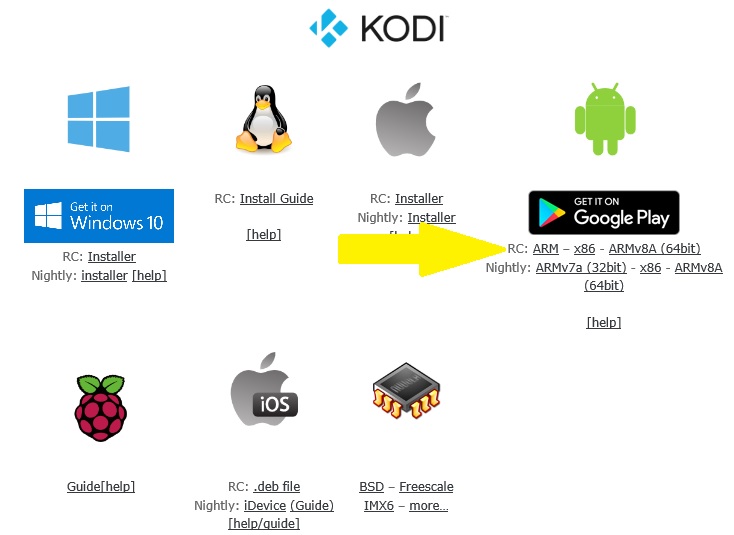
If you do not have KODI on your TV box….. CLICK HERE TO INSTALL KODI
Before installing programs & addons to watch live TV, live sports & events, movies, & TV shows, I highly recommend using a VPN. Some addons are geo restricted and will limit your use of them. By using a VPN, it will unlock these geo restrictions and allow you to get more out of your android TV box. IPVanish is a great one to use. It will also protect your privacy and keep you anonymous.
Besides unlocking geo restrictions, IPVansih will also do the following:
- Encrypt and anonymise your Kodi traffic
- No logs of your traffic
- Kill Switch: Kills network if VPN connection is lost
- Prevent ISP throttling
IPVanish is not free, but it is well worth it. Not only for more privacy, but you will have a better experience with your android TV box
CLICK HERE FOR MORE INFO ABOUT IPVANISH
 ANDROID TV TECH